Description
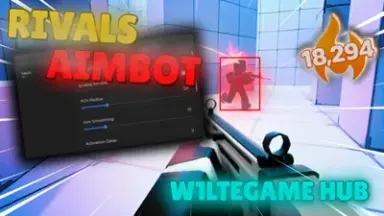
This lightweight aimbot script gives you precise control in Rivals without slowing down your game. Designed for private Roblox sessions, it helps you train, test, or showcase mechanics with clean, responsive aim assistance.
You can tweak aim smoothness and set a custom FOV circle to match your playstyle. Choose to target the nearest player, closest body part, or even the highest health opponent for smarter tracking.
Turn aim on or off with a simple toggle and set your preferred activation method. The minimal HUD stays out of your way, keeping your screen clear while staying fully functional.
Mobile users get full support with touch-optimized controls and smooth input handling. It runs fast on most devices, making it perfect for on-the-go practice.
No key or login is required, so you can jump in and start using it immediately. The script loads instantly with a single line, no hassle or setup needed.
Built by W1lteGameHUB, this tool prioritizes performance and simplicity. It's ideal for players who want to refine their skills or demo features without distractions.
You can tweak aim smoothness and set a custom FOV circle to match your playstyle. Choose to target the nearest player, closest body part, or even the highest health opponent for smarter tracking.
Turn aim on or off with a simple toggle and set your preferred activation method. The minimal HUD stays out of your way, keeping your screen clear while staying fully functional.
Mobile users get full support with touch-optimized controls and smooth input handling. It runs fast on most devices, making it perfect for on-the-go practice.
No key or login is required, so you can jump in and start using it immediately. The script loads instantly with a single line, no hassle or setup needed.
Built by W1lteGameHUB, this tool prioritizes performance and simplicity. It's ideal for players who want to refine their skills or demo features without distractions.
Script Code
LUA SCRIPT
loadstring(game:HttpGet("https://raw.githubusercontent.com/W1lteGameYT/W1lteGame-Hub-Best-Rivals-Aimbot-Script-NO-KEY-/refs/heads/main/script"))()Script Information & Compatibility
Target Game
Rivals
Key Requirement
Keyless (Instant)
Supported Platform
PC / Windows
Status & Safety
Community Verified
How to Execute this W1lteGame Hub AIMBOT SCRIPT NO KEY Script
To run this Lua script safely and effectively in Rivals, follow these standard steps:
- Copy the Script Code: Click the Copy Code button above to save the Lua script to your clipboard.
- Launch the Game: Start Roblox and open Rivals. Wait until your character and game assets fully load.
- Attach Your Executor: Launch your preferred Lua script executor (ensure it is updated to the latest version compatible with Roblox). Click the Attach or Inject button.
- Execute the Code: Paste the copied script into your executor's code tab and press Execute. The script's graphical user interface (GUI) or features should appear on your screen.
Tip: Always test scripts on an alternate account first and avoid running multiple heavy scripts simultaneously to maintain optimal game performance.
Frequently Asked Questions
Copy the code from the code container above, open your executor inside Rivals, paste the code, and click execute.
No, this script is keyless! You can run it immediately without completing any verification checkpoints or link shorteners.
Roblox updates weekly, which can temporarily break script functions. If the script does not execute, make sure your executor is fully updated, rejoin the server, and verify that your antivirus is not blocking the injector.
Related Scripts