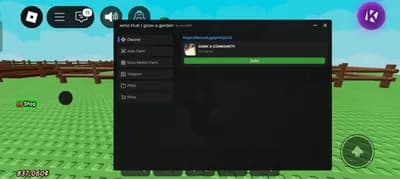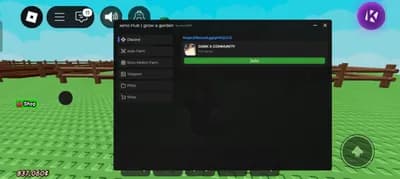
Description
This script transforms how you play Grow a Garden by automating nearly every task with precision and speed. From planting to harvesting, it handles the grind so you can enjoy the fun parts of the game.
Farm smarter with auto seed buying, planting, and harvesting across multiple tabs. It even collects loose fairies, buys upgrades, and optimizes your garden layout without input. The stat trackers show real-time values for seeds, gear, pets, and your backpack.
Take control with advanced tools like auto gift crops, accept pet gifts, and server hop for fresh resources. The steal plant feature gives high-value rewards if you have the Robux, while ESP highlights plants better than in-game tools.
Customize your character with walk speed, jump power, and no-clip options for full freedom. Visual enhancements like plant hover ESP make navigation effortless and strategic.
GPU care matters too - the white screen feature helps reduce strain during long sessions. With stock tracking for all shops and automatic use of watering tools, this script runs your farm like a pro. Perfect for players who want maximum results with minimum effort.
Farm smarter with auto seed buying, planting, and harvesting across multiple tabs. It even collects loose fairies, buys upgrades, and optimizes your garden layout without input. The stat trackers show real-time values for seeds, gear, pets, and your backpack.
Take control with advanced tools like auto gift crops, accept pet gifts, and server hop for fresh resources. The steal plant feature gives high-value rewards if you have the Robux, while ESP highlights plants better than in-game tools.
Customize your character with walk speed, jump power, and no-clip options for full freedom. Visual enhancements like plant hover ESP make navigation effortless and strategic.
GPU care matters too - the white screen feature helps reduce strain during long sessions. With stock tracking for all shops and automatic use of watering tools, this script runs your farm like a pro. Perfect for players who want maximum results with minimum effort.
Script Code
LUA SCRIPT
loadstring(game:HttpGet('https://zaphub.xyz/Exec'))()Script Information & Compatibility
Target Game
Grow a Garden
Key Requirement
Keyless (Instant)
Supported Platform
PC / Windows
Status & Safety
Community Verified
How to Execute this The Best Keyless GAG Script ZapHub Script
To run this Lua script safely and effectively in Grow a Garden, follow these standard steps:
- Copy the Script Code: Click the Copy Code button above to save the Lua script to your clipboard.
- Launch the Game: Start Roblox and open Grow a Garden. Wait until your character and game assets fully load.
- Attach Your Executor: Launch your preferred Lua script executor (ensure it is updated to the latest version compatible with Roblox). Click the Attach or Inject button.
- Execute the Code: Paste the copied script into your executor's code tab and press Execute. The script's graphical user interface (GUI) or features should appear on your screen.
Tip: Always test scripts on an alternate account first and avoid running multiple heavy scripts simultaneously to maintain optimal game performance.
Frequently Asked Questions
Copy the code from the code container above, open your executor inside Grow a Garden, paste the code, and click execute.
No, this script is keyless! You can run it immediately without completing any verification checkpoints or link shorteners.
Roblox updates weekly, which can temporarily break script functions. If the script does not execute, make sure your executor is fully updated, rejoin the server, and verify that your antivirus is not blocking the injector.
Related Scripts