Description
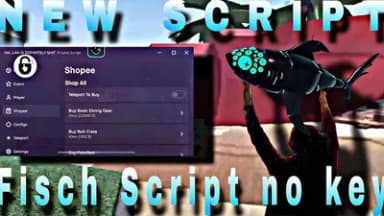
This script transforms your Fisch gameplay by automating the most tedious tasks with precision and speed. Auto reel, cast, and finish let you catch fish effortlessly while you focus on exploration or strategy.
Farm endlessly with auto shake and auto farm features that keep your line moving and your inventory full. Teleport instantly across the map, skip the fog, and use no clip to access hidden areas without restrictions.
Smart tools like fish radar reveal nearby catches, while auto position freeze keeps you steady during intense moments. It even handles crab cages - buy, deploy, and collect them automatically to maximize your passive income.
Complete the jungle maze with guided pathing and sell your loot instantly with auto sell all or just your current catch. No more menu hopping or manual grinding - everything runs smoothly in the background.
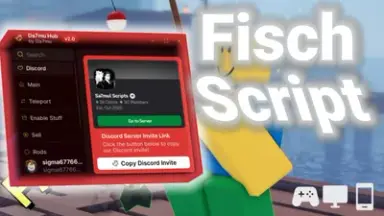
Designed for both casual players and dedicated grinders, Da7mu Hub boosts efficiency without sacrificing fun. Trusted by thousands, it works seamlessly with Delta and other popular executors.
Take control of your Fisch journey with a script that does the work so you can enjoy the rewards. Level up faster, earn more, and explore freely.
Farm endlessly with auto shake and auto farm features that keep your line moving and your inventory full. Teleport instantly across the map, skip the fog, and use no clip to access hidden areas without restrictions.
Smart tools like fish radar reveal nearby catches, while auto position freeze keeps you steady during intense moments. It even handles crab cages - buy, deploy, and collect them automatically to maximize your passive income.
Complete the jungle maze with guided pathing and sell your loot instantly with auto sell all or just your current catch. No more menu hopping or manual grinding - everything runs smoothly in the background.
Designed for both casual players and dedicated grinders, Da7mu Hub boosts efficiency without sacrificing fun. Trusted by thousands, it works seamlessly with Delta and other popular executors.
Take control of your Fisch journey with a script that does the work so you can enjoy the rewards. Level up faster, earn more, and explore freely.
Script Code
LUA SCRIPT
loadstring(game:HttpGet("https://api.junkie-development.de/api/v1/luascripts/public/35eabcb2c03e2c3e0767386f9518fb187022b321e69988192299145ea725c819/download"))()Script Information & Compatibility
Target Game
Fisch
Key Requirement
Keyless (Instant)
Supported Platform
PC / Windows
Status & Safety
Community Verified
How to Execute this Script Da7mu Hub Script
To run this Lua script safely and effectively in Fisch, follow these standard steps:
- Copy the Script Code: Click the Copy Code button above to save the Lua script to your clipboard.
- Launch the Game: Start Roblox and open Fisch. Wait until your character and game assets fully load.
- Attach Your Executor: Launch your preferred Lua script executor (ensure it is updated to the latest version compatible with Roblox). Click the Attach or Inject button.
- Execute the Code: Paste the copied script into your executor's code tab and press Execute. The script's graphical user interface (GUI) or features should appear on your screen.
Tip: Always test scripts on an alternate account first and avoid running multiple heavy scripts simultaneously to maintain optimal game performance.
Frequently Asked Questions
Copy the code from the code container above, open your executor inside Fisch, paste the code, and click execute.
No, this script is keyless! You can run it immediately without completing any verification checkpoints or link shorteners.
Roblox updates weekly, which can temporarily break script functions. If the script does not execute, make sure your executor is fully updated, rejoin the server, and verify that your antivirus is not blocking the injector.
Related Scripts