Humanoid Elite V43 | Aimbot, ESP, Silent Aim
Description
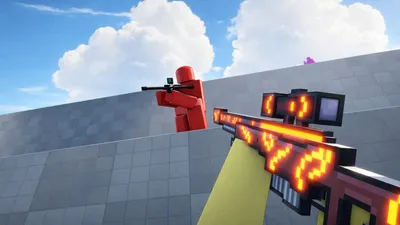
Humanoid Elite V43 is the definitive solution for players looking to dominate in [FPS] Flick. This highly optimized script features a precision-engineered Aimbot with customizable smoothness settings, ensuring your shots land while maintaining a natural appearance. The integrated Silent Aim allows for seamless targeting, while the robust Wallhack (ESP) gives you total situational awareness. Designed with safety in mind, it includes advanced Anti-Ban protection and a reliable Phantom Key System. Whether you are on Mobile or PC, this universal script provides a lightweight and responsive experience. Version V43 brings enhanced stability and support for the latest game updates, making it a must-have for 2026.
Script Code
LUA SCRIPT
loadstring(game:HttpGet("https://pastebin.com/raw/6zEPSZTM"))()Script Information & Compatibility
Target Game
Flick
Key Requirement
Key Required
Supported Platform
PC & Mobile
Status & Safety
Community Verified
How to Execute this Humanoid Elite V43 | Aimbot, ESP, Silent Aim Script
To run this Lua script safely and effectively in Flick, follow these standard steps:
- Copy the Script Code: Click the Copy Code button above to save the Lua script to your clipboard.
- Launch the Game: Start Roblox and open Flick. Wait until your character and game assets fully load.
- Attach Your Executor: Launch your preferred Lua script executor (ensure it is updated to the latest version compatible with Roblox). Click the Attach or Inject button.
- Execute the Code: Paste the copied script into your executor's code tab and press Execute. The script's graphical user interface (GUI) or features should appear on your screen.
Tip: Always test scripts on an alternate account first and avoid running multiple heavy scripts simultaneously to maintain optimal game performance.
Frequently Asked Questions
Copy the code from the code container above, open your executor inside Flick, paste the code, and click execute.
Yes, this script features a key system. Upon running the script, follow the on-screen instructions in the executor GUI to obtain the activation key.
Roblox updates weekly, which can temporarily break script functions. If the script does not execute, make sure your executor is fully updated, rejoin the server, and verify that your antivirus is not blocking the injector.