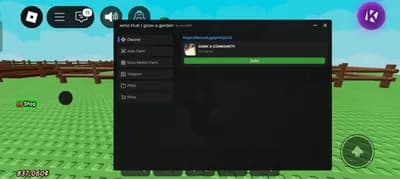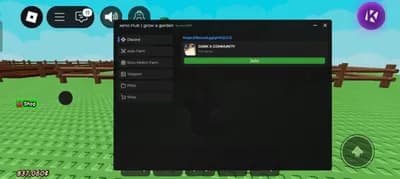
Description
This script transforms Grow a Garden into a fully automated farming powerhouse. It plants, harvests, and sells crops instantly, giving you endless in-game cash with zero effort.
Enjoy total control with auto buy from shops and instant teleportation across the map. Move plants freely, craft seeds on demand, and join or hop servers without lifting a finger.
Steal rare OP fruits or teleport directly to them for maximum gains. The smart player movement ensures smooth navigation, perfect for dodging threats or reaching hidden zones fast.
Horizon Hub keeps everything secure using device info, HWID, and encrypted IP data. Your privacy is protected with SHA-256 encryption, and no personal data is ever exposed.
Built by Laspard69, this trusted tool is the go-to choice for serious players. It delivers unmatched efficiency, speed, and reliability in every farming session.
No more grinding or wasting time on repetitive tasks. Just activate the script, sit back, and watch your garden empire grow automatically.
The loader is simple and safe just run the loadstring and start dominating. Horizon Hub remains the top choice for elite Grow a Garden players worldwide.
Enjoy total control with auto buy from shops and instant teleportation across the map. Move plants freely, craft seeds on demand, and join or hop servers without lifting a finger.
Steal rare OP fruits or teleport directly to them for maximum gains. The smart player movement ensures smooth navigation, perfect for dodging threats or reaching hidden zones fast.
Horizon Hub keeps everything secure using device info, HWID, and encrypted IP data. Your privacy is protected with SHA-256 encryption, and no personal data is ever exposed.
Built by Laspard69, this trusted tool is the go-to choice for serious players. It delivers unmatched efficiency, speed, and reliability in every farming session.
No more grinding or wasting time on repetitive tasks. Just activate the script, sit back, and watch your garden empire grow automatically.
The loader is simple and safe just run the loadstring and start dominating. Horizon Hub remains the top choice for elite Grow a Garden players worldwide.
Script Code
LUA SCRIPT
loadstring(game:HttpGet("https://raw.githubusercontent.com/Laspard69/HorizonHub/refs/heads/main/loader.lua"))()Script Information & Compatibility
Target Game
Grow a Garden
Key Requirement
Keyless (Instant)
Supported Platform
PC / Windows
Status & Safety
Community Verified
How to Execute this GARDEN AUTO PLANT AUTO HARVEST AUTO SELL MUCH MORE Script
To run this Lua script safely and effectively in Grow a Garden, follow these standard steps:
- Copy the Script Code: Click the Copy Code button above to save the Lua script to your clipboard.
- Launch the Game: Start Roblox and open Grow a Garden. Wait until your character and game assets fully load.
- Attach Your Executor: Launch your preferred Lua script executor (ensure it is updated to the latest version compatible with Roblox). Click the Attach or Inject button.
- Execute the Code: Paste the copied script into your executor's code tab and press Execute. The script's graphical user interface (GUI) or features should appear on your screen.
Tip: Always test scripts on an alternate account first and avoid running multiple heavy scripts simultaneously to maintain optimal game performance.
Frequently Asked Questions
Copy the code from the code container above, open your executor inside Grow a Garden, paste the code, and click execute.
No, this script is keyless! You can run it immediately without completing any verification checkpoints or link shorteners.
Roblox updates weekly, which can temporarily break script functions. If the script does not execute, make sure your executor is fully updated, rejoin the server, and verify that your antivirus is not blocking the injector.
Related Scripts